Key Concepts:
- flux
- oopsy
Welcome to Hardware
Gen~ examples
In Max, go to help > examples > gen to view the gen~ examples. Below are some selected examples that you may find helpful in completing this assignment.
Sound sources (synthesis)
- karplus strong
- flute
- ola.pulsar
- fm_bells
- feedback AM
- feedback FM
Effects
- flange chorus
- creepy verb
- gigaverb
- overdrive
- resonator bank
- moog ladder
- dattoro reverb
- comb
Homework
Pressure Build no. 2: Welcome to Hardware
Port your pressure build to the Daisy using the Oopsy library.
Set your daisy up with the amplifier.
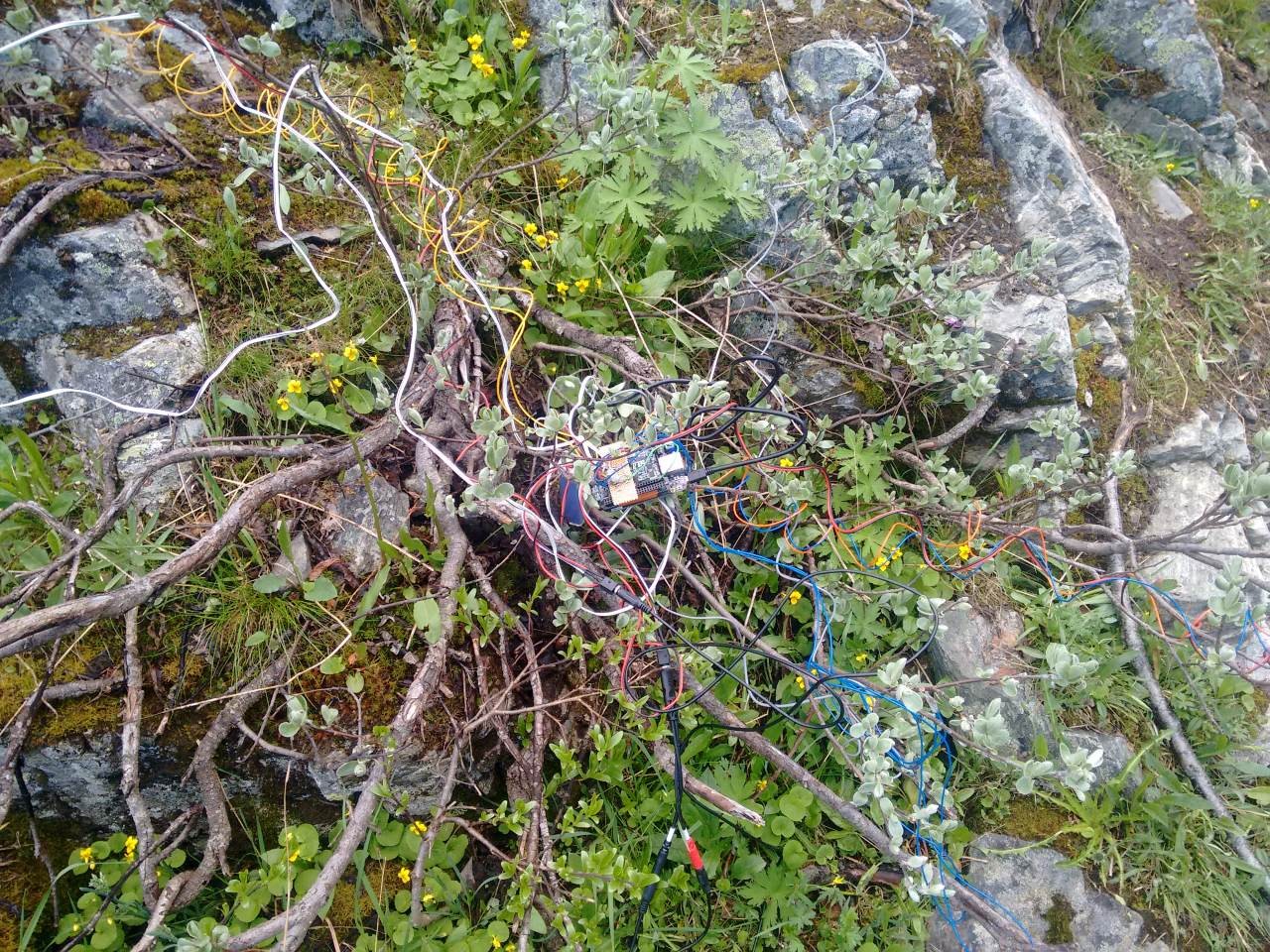
Video record your example set up somewhere on campus.
Readings
Examples
let w = 50;
let a = 0;

function setup() {
  createCanvas(400, 400);
}

function draw() {
  background(220);

  noFill();
  // must first translate to change the point of origin by addition
  translate(width / 2, height / 2);
  // before we THEN rotate

  a += 0.02;

  // push and pop allow us to isolate a drawing state
  push(); // start a drawing state
  rotate(a);
  // center square; square uses left and top x y positions
  square(-(w / 2), -(w / 2), w);
  pop(); // exit that drawing state

  //  // canvas border and quadrant
  square(-width / 4, -height / 4, width / 2);

  //    line(0,-height/2,0,height/2);

  //    line(-width/2,0,width/2,0)
}
let img;

let a=0;//angle of rotation
let rSpeed = 0.1;//speed of rotation


let scaleFactor = 1;


function preload(){
 img = loadImage("/assets/p5img/pixelart.png");
}

function setup() {
  createCanvas(800, 800);

  imageMode(CENTER); // do the same thing for images!
  noStroke()


}

function draw() {
  background(10);

  translate(mouseX,mouseY);
  rotate(a);
  scale(scaleFactor);
  a+=rSpeed;
  image(img,0,0);


  if(mouseIsPressed){
    scaleFactor+=0.03;
    rSpeed+=0.001;
  }
  else {
    scaleFactor-=0.03;
    rSpeed-= 0.001;
    if (scaleFactor < 1){
      scaleFactor = 1;
    }
    if (rSpeed< 0.1){
      rSpeed = 0.1;
    }

  }


}let img;
let a=0;//angle of rotation
let rSpeed = 0.1;//speed of rotation
let x = 400;
let xSpeed = 1;
let xDir = 1; // SWITCH! either 1 or -1;
let y = 200;
let scaleFactor = 2;
let shuteWidth = 400;
let shuteX = 200;
function preload(){
img = loadImage("/assets/p5img/pixelart.png");
}
function setup() {
createCanvas(800, 800);
imageMode(CENTER); // do the same thing for images!
noStroke();
}
function draw() {
background(10);
fill("blue");
rect(200,0,width/2,height);
translate(x,y);
rotate(a);
scale(scaleFactor);
a+=rSpeed * xDir;
image(img,0,0);
x+=xSpeed*xDir;
scaleFactor+=0.03;
if (x>=shuteX+shuteWidth-img.width*scaleFactor/2 || x<=shuteX + img.width*scaleFactor/2){
xDir *= -1;
x+=xSpeed*xDir;
}
y+=5;
if (y >= height +img.height*scaleFactor/2){
y = -img.height*scaleFactor/2;
scaleFactor = 1;
x = width/2;
}
}let spritesheet; // declare image variable globally
let landscape; // variable for bg image
let rain;
let rainSound; // rainsound
let speech;
// source image variables -- spritesheet! where are we in the spritesheet!
let sw = 32;
let sh = 32;
let sx = 0;
let sy = 0;
// destination variables -- where does the spritesheet go in the canvas??
let dx = 0; // canvas position
let dy = 0; // canvas y pos
let dw = 200; // width is the diameter, radius is diameter / 2
let dh = 200;
// runs before setup!
function preload() {
// gets the image ready for p5
spritesheet = loadImage("/assets/p5Img/rainguy/spritesheet.png");
landscape = loadImage("/assets/p5Img/rainguy/landscape.jpg");
speech = loadImage("/assets/p5Img/rainguy/speechBubble.png");
rain = loadImage("/assets/p5Img/rainguy/rain.png");
rainSound = loadSound("/assets/p5Img/rainguy/rain.mp3");
}
function setup() {
createCanvas(532, 360);
// frameRate(1);
imageMode(CENTER); // interpret x and y coordinates as the center of the image
dx = width / 2;
dy = height / 2;
}
function draw() {
image(landscape, width / 2, height / 2);
textFont("Brush Script MT")
textSize(100);
// animation loop
// % modulo -- similar to divide, but it gives you the remainder
if (frameCount % 33 == 0)
sx += sw; // only advance the animation every 33 frames
if (sx >= sw * 4) {
sx = 0;
}
// interactivity
let d = dist(mouseX, mouseY, dx, dy);
let hover = d < dw / 2;
if (hover && mouseIsPressed) {
// sad mode
sy = sw; // adjust to the second row = 32 pixels
image(spritesheet, dx, dy, dw, dh, sx, sy, sw, sh);
image(speech,dx+150,dy-100,200,200);
push();
translate(dx+90,dy-100);
rotate(-0.2);
text("booo",0,0);
pop();
image(rain, width / 2, height / 2);
if(rainSound.isPlaying() == false){
rainSound.play(); //start playback
}
dx = mouseX;
dy = mouseY;
}
//happy mode
else {
image(spritesheet, dx, dy, dw, dh, sx, sy, sw, sh);
sy = 0;
rainSound.stop(); // stop the playback
}
//drawing
// image(img, dx, dy, dWidth, dHeight, sx, sy, [sWidth], [sHeight], [fit], [xAlign], [yAlign])
}
let w = 50;
let aD = 0; // difference in angles between each shape
let aToggle = 1; // toggle which is either 1 or -1

function setup() {
  createCanvas(400, 400);
  angleMode(DEGREES);
}

function draw() {
  background(220);

  noFill();
  // must first translate to change the point of origin by addition
  translate(width / 2, height / 2);
  // before we THEN rotate

  let a = 0;
  for (let w = 10; w < width; w += 10) {
    rotate(a);
    square(-(w / 2), -(w / 2), w);
    a += aD;
  }

  aD += 0.01 * aToggle; // increase the difference in angles over time;

  if (a > 60) {
    aToggle = -1;
  } else if (a < 0) {
    aToggle = 1;
  }
}
let w = 50;
let aD = 0; // difference in angles between each shape
let aToggle = 1; // toggle which is either 1 or -1

let s = 1; // scale factor of our sketch
let sToggle = 1; //  toggle for scale which is either 1 or -1.

let globalA = 0; // rotate the entire sketch

function setup() {
  createCanvas(400, 400);
  angleMode(DEGREES);
}

function draw() {
  background(220);

  noFill();
  // must first translate to change the point of origin by addition
  translate(width / 2, height / 2);
  // before we THEN rotate

  rotate(globalA);
  globalA++;

  scale(s);
  s += 0.01 * sToggle;

  if (s < 0.25) {
    sToggle = 1;
  } else if (s > 4) {
    sToggle = -1;
  }

  let a = 0;
  for (let w = 10; w < width; w += 5) {
    rotate(a);
    square(-(w / 2), -(w / 2), w);
    a += aD;
  }

  aD += noise(a * 0.01) * 0.01 * aToggle; // increase the difference in angles over time;

  if (a > 60) {
    aToggle = -1;
  } else if (a < 0) {
    aToggle = 1;
  }
}
// note, I have to comment out filters because of a bug in how my website converts them to be displayed.
// also note that the image locations are different from how they will look when you upload them to the p5 editor for the same reasons.

let img1, img2, img3, img4;

let s = 1; //scalar factor for currentImage1

// opacity of our second image
let a = 50;

// the threshold of our posterize
let t = 0.0;

let s2 = 2; // scalar factor for currentImage2

// carousel state
let state = 0; // state is either 0 or 1;
let counter1 = 0;
let counter2 = 0;

let ang = 0;

let currentImage1, currentImage2;

function preload() {
  img1 = loadImage("/assets/p5img/texture1.jpeg");
  img2 = loadImage("/assets/p5img/texture2.jpeg");
  img3 = loadImage("/assets/p5img/texture3.jpeg");
  img4 = loadImage("/assets/p5img/texture4.jpeg");
}

function setup() {
  createCanvas(640, 480);
  imageMode(CENTER);
  // set current images
  currentImage1 = img1;
  currentImage2 = img2;
}

function draw() {
  // drawing operations
  background(0);
  translate(width / 2, height / 2);
  ang += 0.001;
  push();
  scale(s);
  rotate(ang);

  tint(0, 255, 0, 126);
  image(currentImage1, 0, 0, img1.width, img1.height);
  //  filter(THRESHOLD, t); // range between 0 and 1
  // filter(INVERT);
  // filter(BLUR);

  pop();
  push();
  scale(s2);
  tint(0, 255, 0, a); // r,g,b,a
  image(currentImage2, 0, 0, img1.width, img1.height);
  //filter(BLUR);
  //filter(BLUR);

  pop();

  // logic counter animations operations
  a += 0.125;
  t += 0.0001;
  s += 0.0005;
  s2 -= 0.0005;

  //currentImage1 counter
  counter1++;
  if (counter1 > 1000) {
    s = 1; // reset scale of currentImage1
    counter1 = 0;
    a = 50;
    t = 0.0;
    if (currentImage1 == img1) {
      currentImage1 = img3;
    } else {
      currentImage1 = img1;
    }

    // cuurentImage2
    counter2++;

    if (counter2 > 1500) {
      s2 = 2;
      counter2 = 0;
      if (currentImage2 == img2) {
        currentImage2 = img4;
      } else {
        currentImage2 = img2;
      }
    }
  }
}
// note, I have to comment out filters because of a bug in how my website converts them to be displayed.
// also note that the image locations are different from how they will look when you upload them to the p5 editor for the same reasons.
let img1, img2, img3, img4;

let a = 0;
let r = 0;
let dir = 1;

function preload() {
  img1 = loadImage("/assets/p5img/texture1.jpeg");
  img2 = loadImage("/assets/p5img/texture2.jpeg");
  img3 = loadImage("/assets/p5img/texture3.jpeg");
  img4 = loadImage("/assets/p5img/texture4.jpeg");
}
function setup() {
  createCanvas(640, 480);
  imageMode(CENTER);
  angleMode(DEGREES);
}

function draw() {
  a += 1;
  r += 0.5 * dir;
  if (r > width / 2 || r < 0) {
    dir *= -1;
  }
  x = width / 2 + sin(a) * r;
  y = height / 2 + cos(a) * r;

  background(220);
  translate(width / 2, height / 2);
  push(); // start a drawing state
  rotate(90);
  let img2a = map(x, 0, width, 0, 127);

  tint(255, 0, 127, img2a);

  image(img2, 0, 0);
  pop(); // forgets everything after push

  let img1a = map(x, width, 0, 0, 127);
  tint(255, 0, 0, img1a);
  image(img1, 0, 0);

  let img3a = map(y, 0, height, 0, 127);
  tint(255, 0, 120, img3a);
  image(img3, 0, 0);

  let img4a = map(y, height, 0, 0, 127);
  tint(127, 0, 120, img4a);
  image(img4, 0, 0, width, height);
  //filter(BLUR);
  //filter(POSTERIZE, 4);
  //filter(BLUR);

  //   //filter(THRESHOLD, 0.5);
  //   filter(BLUR);

  //   //  filter(INVERT);

  //   fill(0, 0, 255);
  //   noStroke();
  //   circle(x, y, 3);
}
let a = 0; // the angle of rotation for shape one
let rSpeed = 0.02; // the speed of rotation
let w = 75; // square width

let a2 = 0; // angle of rotation for shape 2
let rSpeed2 = -0.05;// speed of rotation for shape 2

// setup runs once at the start to "set things up"
function setup() {
  createCanvas(400, 400);
  //   noStroke();
  strokeWeight(4);
  noFill();
}
// draw loops continuously thereafter
function draw() {
  background(255);

  // the point around which a shape rotates is called the point of origin.
  // the default point of origin is the top left corner in p5
  // the point of origin is always 0,0
  // so --> to rotate a shape, we want to change the point of origin.
  // --> translate(); AND THEN rotate();

  // SHAPE 1 // push and pop are ways of isolating drawing states
  push(); // starts the drawing state, it remembers translate, rotate -- this also remembers fill, stroke,
  translate(50, 50); // it takes 2 values: they are added to the current point of origin.
  // for(let x = 0;x<width;x+=20){
  //   line(x,0,x,height);
  //   line(0,x,width,x);
  // }

   point(0,0); // point of origin
   rotate(a);
  fill('red');
  square(-w/2, -w/2, w); // the x and y coordinates are the top left!
    pop(); // we end the drawing state and forget the translation,rotation, fill, stroke
    a+=rSpeed; //update the angle of rotation for shape 1

  // SHAPE 2
  push();
  translate(200,200);
  rotate(a2);
  square(-w/2,-w/2,w);

  pop();

  a2 += rSpeed2; // update the angle of rotation for shape 2


} // the end of the draw loop ALSO forgets or ends the drawing state
let img1,img2 // declare variables for my images;

// pre load runs even before setup! it will wait until everything is done and loaded beforemoving on with p5.

// transformations: translate, rotate, scale


let img1a = 0; //angle of rotation for img1
let img1rSpeed = 0.002;// speed of rotation

let img2a = 0; //angle of rotation for img1
let img2rSpeed = -0.0003;// speed of rotation
let img2s = 1;

function preload(){

  img1 = loadImage("/assets/p5img/img1.jpeg");

 img2 = loadImage("/assets/p5img/img2.jpeg");
}

function setup() {
  createCanvas(400, 400);
   img1.resize(600,0);
   img2.resize(600,0);

    blendMode(EXCLUSION);
}

function draw() {
  //background(220);


  // image 2 draw state


  push();
  translate(200,200);
  rotate(img2a)
  scale(img2s);
  image(img2,-img2.width/2,-img2.height/2);
  pop();

  img2a+=img2rSpeed;

  img2s+=0.001;
  // animation control loop
  if(img2s>2){
    img2s = random(1,2);
    img2rSpeed = random(0.001,0.01);
  }


 //heres a grid
    strokeWeight(8);
  for(let x = 0;x<width;x+=20){

    line(x,0,x,width);
    line(0,x,height,x);
  }


     // IMAGE 1
  push(); // start image 1 state
  translate(200,200);
  point(0,0);
  rotate(img1a);
  tint(255,0,0,100);
  image(img1,-img1.width/2,-img1.height/2);// image to show (as a variable), x, y pos (default works like square or rectangle)
  //filter(INVERT);

  filter(BLUR,10);
  pop(); // end image 1 state
  img1a+=img1rSpeed;


}let sprite;
let bg;
let xOffset = 40;
let yOffset = 100;
let xAnimOffset = 360; // the number of pixels we need to offset IF we are progressing through our sprite sheet!
let animState = 2;
let a = 0;
function preload() {
sprite = loadImage("/assets/p5img/sprite.png");
bg = loadImage("/assets/p5img/img3.jpeg");
}
function setup() {
createCanvas(400, 300);
//frameRate(10); // takes number and converts to frames per second
bg.resize(400, 0);
//uncomment the save gif in order to save the gif to your computer!
// saveGif("cat.gif",3);
}
function draw() {
image(bg, 0, 0);
image(
sprite,
0,
0,
sprite.width * 1.1,
sprite.height,
xOffset + xAnimOffset * animState,
yOffset
);
console.log(frameCount);
if (frameCount % 10 == 0) {
animState++;
if (animState > 2) {
animState = 0;
}
}
translate(20, 20);
rotate(a);
square(-10, -10, 20);
a += 0.1;
}
let x = 200;
let xSpeed = 2;
let y = 200;
let w = 100;
let img;

let a = 0;
let rSpeed = 0.02; // speed of rotation;

let g = 0; // green
let gMax = 200;
let gMin = 100;
let b  = 0;
let cSpeed = 2; // speed at which color changes
let cDir = 1; // color change direction should be ONLY -1 or 1


function setup() {
  createCanvas(800, 800);
  rectMode(CENTER); // changes how x,y coordinates are interpretted for square and rectangle --> CENTER changes the x,y coordinate to the CENTER of the square or rectangle

  noStroke();

}

function draw() {
  background(220,1);

  // position animation block
  x+=xSpeed;
  if(x>width+w){
    x = -w;// reset to left hand of screeny = random(height);
    b = random(100,225);
    y = random(height);

    // coupled or integrated randomness
    let r = random(0,100);

    w = map(r,0,100,10,50);
    xSpeed = map(r,0,100,5,1);
    rSpeed = map(r,0,100,2,0.1);

  }

  // color animation block
  g+=cSpeed * cDir; // add to green


    // logical or conditional operators
  // && chains two together -- BOTH must be true
  // || chains two together --EITHER can be true

  // switch! turns direction switch between -1 and 1;
  if(g>gMax || g<gMin){
    cDir*= -1;
  }


  // rotation block
  translate(x,y);
  // to rotate, first translate to the center of the rotation
  a+=rSpeed; // change the angle of rotation
  rotate(a); // then rotate by a given angle
  fill(0,g,b);
  square(0,0,w); // then draw the shape or image


}